
Ordering and Gang Sheets
DTF Transfers Explained: What to Know Before Ordering
Apr
DTF transfers are printed designs supplied on carrier film, ready to be applied to compatible garments. They let you create full-colour T-shirts, hoodies and other textile products without owning the equipment that prints and prepares the transfers.
At DTF Transfers Australia, you order the transfers and apply them to your own garments. Before choosing a product, confirm your application equipment, garment, artwork size and required finish.
This guide explains those choices and links to the detailed instructions you will need for your first order.
TL;DR
- DTF means direct to film. Colour and white ink form the design, with adhesive that bonds it to suitable fabric during application.
- You are buying transfers. The garment and application are separate.
- Choose the product for your equipment. Standard production transfers use a heat press; dedicated iron-on products have their own instructions.
- Supply print-ready artwork. Use a transparent PNG at 300 DPI at the final print size and check the current file requirements.
- Test the actual garment. Fabric, colour, coatings and construction affect the result.
- Follow the correct fitting guide. Insta-Peel, iron-on and speciality cold-peel transfers do not share one universal process.
What are DTF transfers?
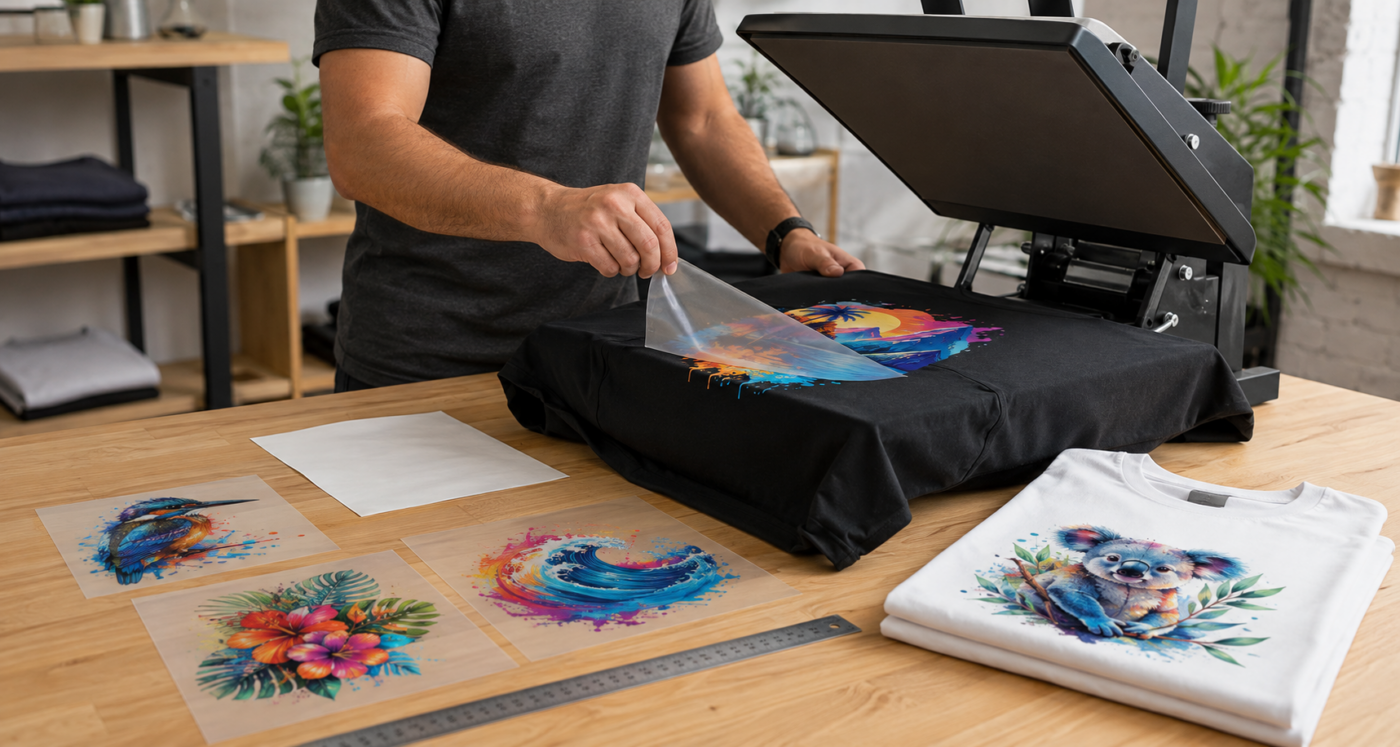
DTF stands for direct to film. The design is printed onto a carrier rather than directly onto the garment. A white ink layer supports the colours, and a prepared adhesive layer allows the image to bond to compatible fabric under the specified heat and pressure.
During application, the printed adhesive side faces the garment. The carrier is removed at the stage specified for the transfer, leaving the design on the fabric. Complete any required finishing press before the item is ready for use.
DTF can reproduce colour illustrations, photographs, gradients and white artwork. The white layer also makes printing on suitable dark garments possible, although fabric colour and dye behaviour still need consideration.
Manufacturing and application are separate steps
A transfer supplier processes the artwork for printing, prints the image onto film, applies the adhesive system and cures the transfer. The exact equipment and materials vary between production systems.
When you order a ready-to-press product, you do not repeat those manufacturing steps. You apply the finished transfer using its fitting instructions. Production file processing should not be confused with an artwork editing service: our transfers are printed from the files you supply.
What you need to use them
For standard production DTF transfers, you need a suitable heat press, compatible garments, the specified cover sheet and basic measuring and positioning tools. Allow time and spare material for testing.
The press must provide even heat and pressure across the whole design. A cap, pocket or garment with raised seams may require equipment or a platen suited to that shape.
You do not need a DTF printer to offer printed apparel. Buying transfers lets you concentrate on artwork, garments, application and customer orders. Operating a printer adds manufacturing equipment, maintenance and production responsibilities.
If you are planning a business around this approach, read our guide to starting a T-shirt business with DTF transfers.
Choose the right transfer product
Start with how you will apply the transfer and the finish you want. Then choose a sheet format that fits the required print sizes and quantities.
| Option | When to consider it | Check before ordering |
|---|---|---|
| Standard DTF gang sheet | Several designs, repeated logos or different print sizes arranged together | Final dimensions, sheet layout, cutting space and heat-press requirements |
| Standard cut sheet | A design or group of designs within an available fixed sheet size | Usable dimensions and the product’s ordering instructions |
| Dedicated iron-on transfer | Application using a method supported by the iron-on product | The separate equipment, garment and fitting instructions |
| Speciality transfer | A selected finish such as metallic, glitter, pearl, reflective, neon or glow | Artwork limitations, appearance and cold-peel application |
Our speciality transfers are supplied as sheets, not gang sheets. Do not assume that an effect can reproduce the same colours or details as a standard full-colour transfer.
A gang sheet combines several transfers in one purchased print area. Arrange the designs at their finished sizes and leave enough space to cut them apart. You do not need to cut around every letter or weed the spaces inside a DTF design.
Check current formats and pricing on the custom DTF gang sheet product page, or browse the transfer range to compare other options. Include handling and delivery time in your schedule, as well as the time you need to apply the transfers.
Check your garment
Compatible DTF transfers can suit many cotton, polyester and blended textiles. Common applications include T-shirts, hoodies, sweatshirts, workwear and suitable fabric bags.
Fibre composition is only part of the decision. Coatings, dyes, stretch, texture, seams and heat sensitivity can affect adhesion or change the garment’s appearance during pressing.
Caps need particular attention because the print area is curved. Our guide to decorating custom caps with DTF transfers explains why an uninterrupted front panel and suitable cap press are useful starting points.
Apparel DTF transfers should not be treated as stickers for glass, drinkware or other hard surfaces. Those applications need a suitable hard-surface decoration product and its own instructions.
Test the exact style and colour
A result on one cotton shirt does not prove every cotton garment is suitable. Polyester may develop press marks or dye migration, where fabric dye discolours the decoration. Coated and highly stretchy materials can present other challenges.
Use the garment you intend to supply and inspect a sample after application and under its intended care conditions. Keep a record of the blank, transfer, print size and application process for repeat orders.
Our T-shirt fabric guide explains common garment terms and selection considerations.
Prepare your artwork
Your uploaded file determines what is printed. Check the final export, not just the editable version on your screen.
- Use a transparent PNG. Remove unwanted backgrounds, stray pixels and accidental edge effects.
- Set the intended physical size. Confirm the width and height you want on the garment.
- Prepare at 300 DPI at that size. Changing the resolution label or enlarging a small image does not recreate missing detail.
- Review fine elements. Small lettering, thin strokes and isolated specks must be substantial enough to print and adhere.
- Check transparent fades. A colour gradient is different from an image fading into transparency; artwork relying on translucent edges may need preparation and sampling.
- Crop unnecessary empty space. Keep the canvas close to the design without removing intended artwork.
- Proofread and inspect. Confirm spelling, orientation, dimensions and the file selected for upload.
Pixel dimensions only describe a physical detail size when the resolution is also known. Avoid treating a pixel count as a universal millimetre measurement; use the current DTF artwork requirements for detailed guidance and upload limits.
Our service prints artwork as supplied. If you need resizing, background removal or design changes, arrange that work before placing the print order.
Apply and test a sample
Follow the instructions for the product you receive. Standard Insta-Peel, iron-on and speciality cold-peel transfers have different requirements, and older film settings may no longer apply.
The basic production sequence is to prepare the garment, position the transfer, press, peel as directed and complete any finishing press. The product guide supplies the temperatures, times, pressure and cover-sheet requirements for those steps.
Our standard Insta-Peel transfers are peeled immediately after the initial press. Immediate peeling does not remove the need for a finishing press. Speciality transfers use a cold-peel sequence.
Use the current transfer fitting instructions at the time of application. Test before producing customer garments, especially if the fabric, press, artwork size or transfer type has changed.
Resolve common application problems
If a test fails, review the complete combination before changing settings. More heat will not necessarily solve a pressure problem and may damage the garment.
| What you notice | What to check |
|---|---|
| The design lifts during peeling | Stop peeling. Check the correct peel method, garment preparation, press accuracy and contact, then follow the product’s recovery instructions. |
| One edge or section does not adhere | Check for seams, obstructions or an unsupported area. Confirm that the entire design receives even pressure and heat. |
| Shine, scorching or distortion | Check fabric heat tolerance, pressure and cover materials. Use spare samples to establish suitability before continuing. |
| The print changes colour | Consider fabric dye migration or another material interaction. Test a compatible product and process on the actual garment. |
| Fine details are missing | Inspect the source artwork and transfer. Simplify or strengthen details that cannot reproduce reliably at the chosen size. |
Keep photographs and application notes if you need to discuss a result with your supplier. The garment style, transfer type and settings help identify the problem more clearly than a description of “not sticking”.
Care for garments and unused transfers
Follow care instructions that suit both the garment and its decoration, including the required wait before the first wash. Do not assume that a transfer approved for a T-shirt makes a cap or coated garment suitable for the same wash routine.
For current advice, use our printed garment care instructions.
Keep unused transfers clean, dry and protected from heat, moisture and creasing. Store them according to the product guidance and handle the printed side carefully. Our DTF transfer storage guide covers practical storage arrangements.
Decide whether DTF suits the job
Where DTF is useful
DTF is worth considering for detailed full-colour artwork, short runs, personalisation and mixed designs. It can also let you keep suitable garments blank and apply a chosen design when an order arrives.
You can read more about these production benefits in the benefits of using DTF transfers.
What to account for
The print sits on the fabric and has a surface feel. Large solid areas can feel more substantial and restrict more airflow than small or open designs. Test at the intended print size.
Application labour, garment compatibility, transfer delivery and sample costs remain part of the job. A digital process does not guarantee exact screen colour matching, unlimited detail or the lowest cost for every order.
When to compare another method
A larger repeated design may suit screen printing; simple names and numbers may be practical in cut heat transfer vinyl. Embroidery and other methods offer different finishes.
Compare the actual artwork, garment, quantity and desired result using our guides to DTF versus screen printing and DTF versus cut HTV.
Common questions
Does a DTF transfer order include the T-shirt?
Our transfer products supply the printed transfers. You provide the garment and apply the design using suitable equipment and the product instructions.
Can DTF transfers be used on dark garments?
Yes, on compatible garments. The white ink layer supports the colour and white elements in the design. Test the fabric and dye response before production.
Can I apply standard DTF transfers with an iron?
Choose the dedicated iron-on product if you need its supported application method. Standard production transfers are intended for a heat press and should not be assumed to use iron-on settings.
Can I order a small test?
Choose an available sheet or gang-sheet format suitable for your sample. Check the product’s current ordering conditions and include delivery when assessing a small order’s cost.
Will my artwork be corrected automatically?
No. Artwork is printed as supplied. Complete any editing and check the file before uploading it.
How long will a DTF print last?
Durability depends on the transfer, artwork, fabric, application and care. Test your chosen combination rather than relying on a fixed wash-count promise.
Start with the garment, artwork and application method
A successful order starts with a suitable garment, the correct transfer product and a checked file at its final print size. Apply a sample using the current instructions before committing to the full run.
Browse our ready-to-press transfer range to choose a product. For a more detailed walkthrough, read the complete DTF transfer printing guide.
