
Ordering and Gang Sheets
Custom T-Shirt Transfers: How to Choose, Order and Apply Them
Apr
Originally posted: 28 April 2023. Last updated: 5 October 2026.
Quick summary
A custom T-shirt transfer is a printed design on film that you press onto a shirt. For a full-colour logo on cotton, polyester, or a blend, order ready-to-press DTF and use a heat press. Vinyl suits simple cut shapes. Sublimation suits light polyester. A household iron only works on transfers labelled iron-on. We sell the film, not the shirt.
On this page
- Quick summary
- Which transfer to order
- Artwork and sheet size
- Pressing the transfer
- EasyPress and a household iron
- After you press
- FAQ
Which transfer to order
Start with the shirt and the artwork, not the catalogue name. A photo on a black tee is a different job from a one-colour number on a white polyester sports shirt.
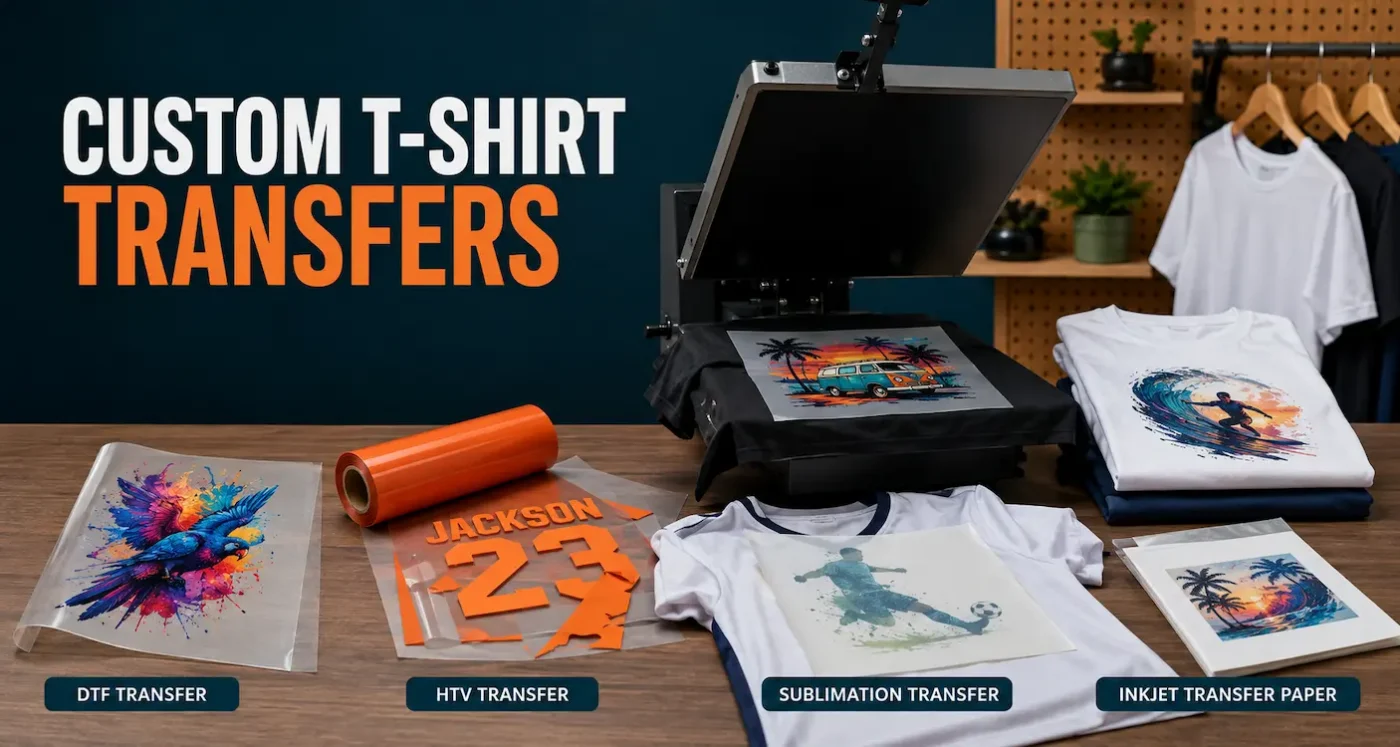
- Ready-to-press DTF: full colour, including white, on many cotton, polyester, and blended garments. This is what we print. Order a gang sheet or a cut sheet.
- Heat-transfer vinyl: one or a few solid colours, cut on a plotter and weeded. Good for names and simple marks. Slow once the design has detail.
- Sublimation: dye goes into polyester. It has almost no hand feel. It needs a white or very light polyester garment, because there is no white ink.
- Home inkjet transfer paper: a craft option for one-off shirts. It is not the same film we print, and it is not what to sell as a shop product.
- Iron-on DTF: our separate range for a household iron. It is not Hot Insta Peel.
DTF Transfers Australia only sells DTF transfers. Blank shirts and garments we print for you are sold by T Shirts Australia.
Artwork and sheet size
Send a PNG, JPEG, or WebP. A transparent PNG is the best file. Build it at about 300 DPI at the size you want it on the shirt, crop the empty space, and keep fine lines at least about 1 mm. The upload limit is 254 MB. Do not mirror the art. We print the file you send, including stray pixels and spelling mistakes.
More on files is in DTF artwork requirements. For how wide a logo should be on a child’s shirt or an adult chest, use the size guide.
Use a cut sheet for one design at a set size. Use a gang sheet when you have several logos, names, or sizes. Gangs are 28 cm or 58 cm wide. You build the sheet online and we print that film. Gang prices are $21.95 a metre for 28 cm and $30.95 a metre for 58 cm, GST included.
Orders placed by 12:00 noon Brisbane time on a weekday go into that day’s standard handling. Standard handling is typically 3–5 business days. Same/Next Day handling is coming soon, aimed at November–December 2026, and cannot be ordered before then.
Pressing the transfer
Lint-roll the print area. Pre-press the empty shirt until no steam rises. If the press fogs, the cotton was holding moisture even though it felt dry. Open it, let the steam out, and press again before the film goes down. The longer version is why pre-pressing matters.
Cotton and most fabrics: 160°C, 8 seconds, firm pressure, peel immediately while hot. Then press again for 10 seconds under your own parchment, baking paper, or Teflon.
Polyester: 120°C, 30 seconds, firm pressure, cold peel only. Then a 10-second second press at 120°C. Test that colour. A light print on a strong polyester dye can shift. Read DTF on polyester before you run a batch.
We do not put a finishing sheet in the parcel. Keep a clean cover sheet by the press and retire it when adhesive builds up.
EasyPress and a household iron
A household iron is only for products labelled iron-on. Standard cut sheets, gang sheets, and Hot Insta Peel are not for a household iron.
A Cricut EasyPress counts as a small heat press when the platen fully covers the design. That is fine for standard sheets, gang designs that fit the platen, and Hot Insta Peel. If the design hangs past the platen, use a larger press. Do not chase a big print in two passes. Always test. Presses and garments vary.
Specialty finishes, such as foil, glitter, glow, neon, pearl, and reflective, are cold peel. Follow the instructions on that sheet. They are not the iron-on product.
After you press
Let the shirt rest 24–48 hours before the first wash. Wash it inside out on a gentle cycle and do not iron on the print. For a job you are selling, wash one test shirt before you press the rest of the stack.
If only part of the design sticks, change one thing at a time. Check moisture, pressure, a seam under the print, and whether you peeled polyester too soon. Pressing tips walks through those faults.
FAQ
Which transfer is best for a full-colour logo on a dark T-shirt?
Ready-to-press DTF. It carries its own white ink, so the shirt colour does not have to be light. Order a cut sheet or a gang sheet, then press it. Sublimation will not show a white logo on a black shirt.
Can I apply any DTF transfer with a household iron?
No. A household iron is only for products labelled iron-on. Standard Hot Insta Peel sheets and gang sheets need a heat press. A Cricut EasyPress is fine when its platen fully covers the design.
Do I need a DTF printer to make custom T-shirts?
No. You upload the art, we print the film in Coorparoo, and you press it onto your own shirts. Buying a printer is a separate decision, after you already have regular orders.
Do I mirror the artwork?
No. Upload the art the way it should read on the shirt. We print the file as supplied. Check spelling before you pay.
Does a transfer order include the T-shirt?
No. DTF Transfers Australia sells the transfers only. Blank shirts, and garments printed as a finished product, come from T Shirts Australia.
