
Pressing and Care
DTF on Polyester: Adhesive, Heat and Dye Migration
Apr
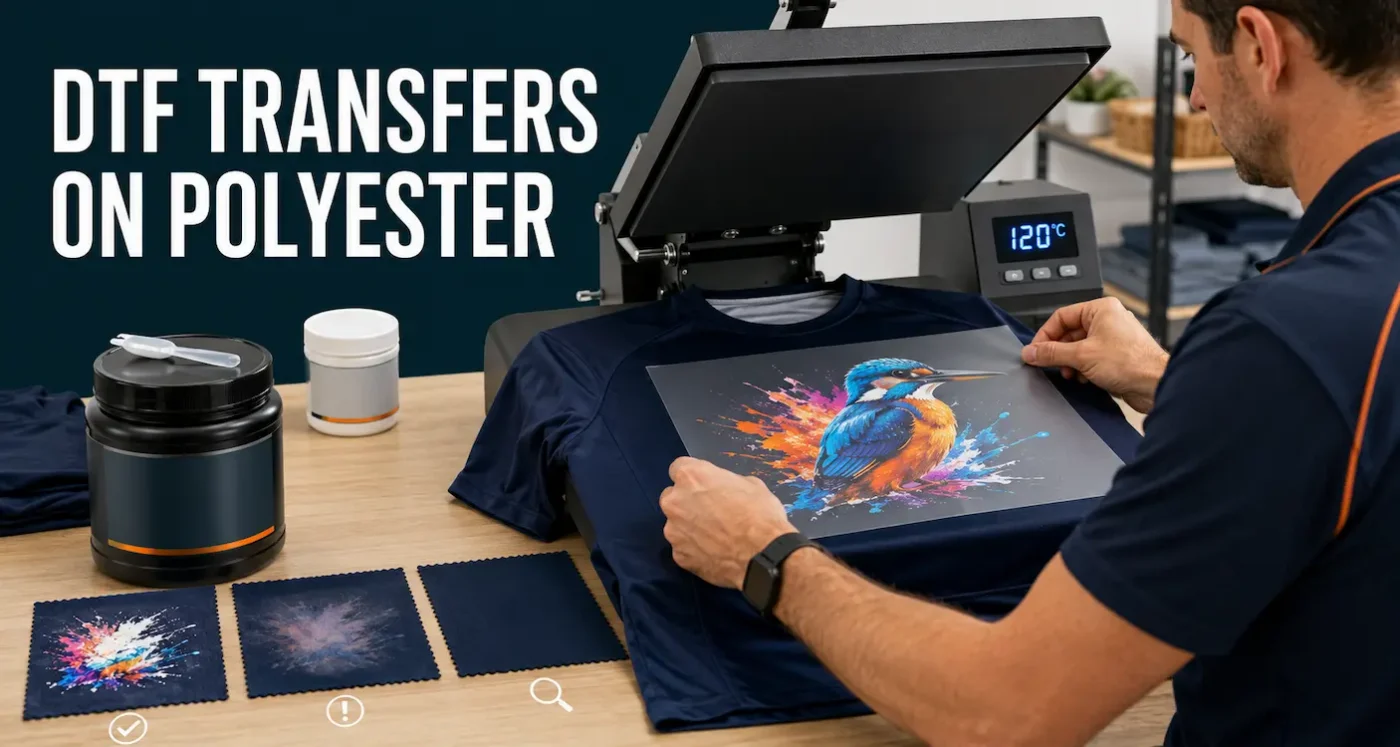
DTF Transfers on Polyester: A Practical Pressing Guide
DTF transfers can produce detailed, opaque, full-colour prints on many polyester shirts, sports garments, workwear and blended fabrics. They are especially useful when sublimation is unsuitable because the garment is dark or the design requires white.
Polyester is not automatically easy to decorate. Heat can mark or distort the fabric, garment dye can migrate into light print colours, and coatings can affect adhesion. The best results come from combining a suitable current-generation adhesive with lower-temperature application and testing the actual garment before production.
TL;DR
- DTF can be used on many polyester garments, including dark colours, but every garment and transfer combination should be tested.
- We previously used white low-temperature adhesive for polyester and difficult fabrics. Newer adhesives have bridged that performance gap and are now our preferred option for most suitable polyester applications.
- Improved adhesive does not eliminate dye migration, heat marks, shrinkage or fabric damage.
- For our Insta-Peel transfers, start polyester testing at 120°C for 30 seconds with firm pressure.
- Cold peel only — let the garment and transfer cool completely before peeling, then complete a 10-second final press at 120°C.
- Pre-press only as needed to remove moisture and wrinkles, while watching for changes in sheen, colour or texture.
- Check light-coloured areas immediately and again after 24–48 hours because dye migration can develop after pressing.
- Use a spare garment or sample from the same production batch before completing an order.
- Document successful settings for each garment style, colour and supplier batch.
Why Polyester Is Different to Press
Polyester is a broad material category, not one standard garment. Two shirts labelled 100% polyester can use different yarns, dyes, finishes, weaves and construction. One may accept a transfer easily while another marks or migrates at the same setting.
Common polyester pressing risks
- Dye migration: garment dye moves into the printed transfer, often changing white or light colours.
- Heat marks: the platen or cover sheet leaves a shiny, flattened or discoloured area.
- Shrinkage or distortion: heat changes the fabric, seams, panels or garment shape.
- Adhesion problems: coatings, moisture, texture or insufficient heat and pressure prevent a stable bond.
- Pressure marks: seams, zips or thick panels prevent the print area from receiving even pressure.
- Colour variation: the same garment style in another colour or production batch may behave differently.
These risks do not mean polyester cannot be decorated. They mean the garment should be treated as part of the print system rather than as a passive blank.
How Improved DTF Adhesives Have Changed Polyester Printing
In the past, we would normally choose a white low-temperature adhesive for polyester and other difficult-to-print materials. Its main advantage was achieving useful adhesion with less heat exposure than a conventional adhesive, helping reduce the risk of fabric damage and dye activation.
Current-generation DTF adhesives have improved. In our production experience, the newer adhesive systems have bridged the previous performance gap and are now the preferred choice for most suitable polyester work. This simplifies ordering and allows one current transfer system to cover a wider range of cotton, polyester and blended garments when the correct settings are used.
What changed: white low-temperature adhesive was previously our default solution for polyester. Newer adhesives now provide the lower-temperature performance we need for most suitable polyester applications, so the older low-temperature white option is no longer our preferred default.
What improved adhesive does—and does not—solve
| Improvement | Remaining responsibility |
|---|---|
| Reliable adhesion can be achieved at a lower polyester starting temperature | The operator must still test temperature, time and pressure on the actual garment |
| One transfer system can cover more suitable fabric types | Coated, textured and highly heat-sensitive products can still be unsuitable |
| Lower heat exposure may reduce dye activation and marking | It cannot guarantee that a strongly migratory garment dye will remain stable |
| Application is more consistent across ordinary polyester jobs | Garment colour, batch and construction still need production testing |
This guidance is specific to our current transfer system. Do not apply these settings to an unrelated supplier’s transfer without checking their instructions.
Should You Use DTF or Sublimation on Polyester?
Both methods can produce excellent polyester prints, but they work differently.
| Consideration | DTF transfer | Dye sublimation |
|---|---|---|
| Garment colour | Can be used on many light and dark suitable garments because the transfer includes white ink | Normally requires white or very light material because there is no white sublimation ink |
| Print feel | A printed layer and adhesive sit on the fabric surface | Dye enters the polyester fibres, producing almost no separate print feel |
| Fabric requirement | Works on many suitable polyester, cotton and blended products | Best on high-polyester content or a compatible polyester coating |
| White and light details on dark fabric | Possible with a white ink base | Not possible by ordinary sublimation alone |
| Heat considerations | Our polyester process starts at 120°C | Typically involves substantially higher heat, subject to the exact sublimation product |
For white performance sportswear where a very light print feel is the priority, sublimation may be the better method. For a dark polyester shirt, mixed fabric range or artwork containing opaque white, DTF is often the more practical choice. Read our full DTF versus sublimation comparison.
Different Polyester Garments Need Different Testing
Performance T-shirts and sportswear
These are often lightweight, stretchy and moisture-managing. The fabric may show platen marks more easily than a heavier cotton tee. Large solid transfers can also affect stretch and breathability, so consider the design size and use negative space where appropriate.
Polos and work shirts
Plackets, buttons, pockets and seams can interrupt pressure. Use a suitable platen or pressing pillow to raise the print area above obstructions. High-visibility and workwear fabrics may also contain finishes or dyes that need additional testing.
Jackets, bags and coated fabrics
Water-resistant, stain-resistant and similar coatings can prevent adhesion, while linings, padding and zips can be damaged by heat. A fabric containing polyester is not automatically suitable for DTF. Obtain manufacturer information and test before accepting the job.
Polyester-cotton blends
Blends can combine the comfort of cotton with polyester performance, but their heat response varies with construction and dye. Treat a new blend as a new garment rather than copying settings from either a pure cotton or pure polyester shirt.
See our guide to T-shirt fabrics for a broader material comparison.
Check the Garment Before Pressing
Read the care label and supplier decoration guidance where available. Then inspect the physical garment.
- Confirm the fibre composition and garment style.
- Look for coatings, reflective elements, waterproof sections and heat-sensitive trim.
- Identify seams, zips, buttons and pockets within or near the print area.
- Check whether the fabric stretches in one or several directions.
- Test a hidden area for heat, pressure and cover-sheet marks.
- Use a spare garment from the same colour and batch for the full transfer test.
Black, red, navy, maroon and other strongly dyed fabrics are often watched closely for migration, but colour alone does not predict behaviour. A light garment can still mark or distort, and a dark garment can remain stable. Testing is more reliable than assumptions.
Prepare Artwork for Polyester DTF Printing
Use a transparent PNG created at the intended print size at 300 DPI or higher. Crop closely, remove unintended backgrounds and avoid isolated elements thinner than approximately 1 mm or four pixels.
Design choices can reduce visible migration
- Large pure-white areas make a colour shift easier to notice.
- Fine coloured details can be affected when surrounding garment dye migrates into the white base.
- A design with intentional negative space may feel more comfortable on a lightweight sports shirt.
- Very large solid prints may restrict stretch even when adhesion is successful.
Do not change brand colours merely to hide an unsuitable garment. If accurate white or light colour is essential, test the final artwork and consider another garment if migration is unacceptable.
Review our DTF artwork FAQs before submitting files.
Starting Settings for Insta-Peel DTF on Polyester
These settings are a general starting point for our current Insta-Peel transfers, not a guarantee for every garment or heat press.
| Stage | Polyester starting setting |
|---|---|
| Temperature | 120°C |
| Initial press | 30 seconds |
| Pressure | Firm |
| Peel | Immediately while hot |
| Final press | 10 seconds at 120°C with a clean cover sheet |
A displayed 120°C does not prove every part of the platen is at 120°C. Heat presses differ in calibration, recovery and pressure distribution. Verify the press and adjust only through controlled testing.
Step-by-Step: Apply an Insta-Peel Transfer to Polyester
- Test the empty garment. Press a hidden area using the intended temperature, pressure and cover sheet. Check for shine, colour change, texture change or distortion.
- Pre-press carefully. Press the decoration area to remove moisture and wrinkles. Check for steam. Repeat only as needed, because unnecessary heat exposure can mark polyester.
- Position the transfer. Place the printed adhesive side against the fabric with the clear film facing upwards. Keep the design away from seams and obstructions.
- Add a clean cover sheet. Use parchment paper, baking paper or a Teflon cover sheet without moving the transfer.
- Complete the initial press. Start at 120°C for 30 seconds with firm, even pressure.
- Cold peel only. Let the garment and transfer cool completely, then remove the film smoothly. If any section lifts, place the carrier back down and repress before peeling again.
- Complete the final press. Cover the printed design with a clean sheet and press for 10 seconds at the same temperature.
- Inspect immediately and later. Check adhesion, edges, fabric marks and colour, then inspect again after the garment has cooled and after 24–48 hours.
Keep the complete current Insta-Peel fitting instructions beside the press.
Understand and Test for Dye Migration
Dye migration occurs when dye from the polyester moves into the printed transfer. It is most obvious when white ink becomes pink, grey, blue or another version of the garment colour. Migration can appear immediately or develop as the pressed garment sits.
Factors that can increase migration risk
- strongly dyed or sublimated garment panels;
- higher temperature or unnecessary heat exposure;
- long press time beyond the tested requirement;
- stacking garments while they are still hot;
- placing a light print over previously sublimated artwork; and
- garment dyes that are unstable under ordinary decoration conditions.
Lower heat reduces risk; it does not guarantee prevention
The current adhesive’s ability to bond at the 120°C polyester starting point reduces the heat applied compared with the older general settings. That is helpful, but no ordinary setting can promise zero migration on every polyester dye.
Where colour accuracy is critical, press the real transfer onto a spare garment from the same batch and leave it for at least 24–48 hours. If migration develops, do not simply increase pressure or heat. Consider another garment, a transfer system specifically designed to block migration or a different decoration method.
Reduce Heat Marks, Shine and Fabric Damage
A rectangular platen outline or glossy patch may be caused by heat, pressure, moisture, the cover sheet or flattened surface fibres. The appearance can be temporary on some garments and permanent on others.
- Use the lowest tested setting that provides complete adhesion.
- Do not extend the pre-press or final press without a reason.
- Keep thick seams and hardware outside the pressing area.
- Try a different clean cover sheet during testing because its texture can affect the finish.
- Use a suitable platen or pressing pillow so the intended print area receives pressure without crushing nearby construction.
- Allow the garment to cool flat rather than folding or stacking it hot.
If the fabric changes before the transfer is applied, the garment may be unsuitable for the planned process. Do not rely on the transfer to hide the damage.
Run a Useful Polyester Production Test
A test should reproduce the complete production process, not merely show that the carrier can be peeled.
- Use the actual garment style, colour and production batch.
- Use the intended transfer artwork, including important white and light areas.
- Record press identification, platen, temperature, time, pressure, pre-press and cover sheet.
- Inspect the garment before pressing and photograph the unpressed surface if marking is a concern.
- Complete the initial and final presses exactly as planned for production.
- Check edges, stretch, surface finish and garment distortion after cooling.
- Inspect colour again after 24–48 hours.
- Wait 24–48 hours before washing, then complete repeated real-world wash tests.
Retain an approved sample and written recipe. Retest when the garment supplier, colour, batch, transfer construction or heat press changes.
Troubleshooting DTF on Polyester
| Problem | Possible cause | Next check |
|---|---|---|
| Transfer lifts during the hot peel | Uneven pressure, platen temperature variation, moisture, obstruction or insufficient tested time | Lay the film back down, repress, then check the full pressure and temperature area |
| White print changes colour | Dye migration | Review heat exposure and test another garment or appropriate blocker system |
| Fabric becomes shiny | Heat, pressure or cover-sheet marking | Test a lower-risk combination while retaining complete adhesion |
| Garment shrinks or puckers | Heat-sensitive construction or excessive total heat | Check pre-press and final-press exposure; reassess garment suitability |
| Edges lift after washing | Incomplete adhesion, missing final press, coating or unsuitable care | Repeat the full process on a spare garment and review wash conditions |
| One side adheres and the other lifts | Uneven platen, seam or pressure obstruction | Test platen alignment and raise the print area above nearby construction |
Change one variable at a time and record the result. Increasing temperature is not the automatic solution on polyester because it may create migration or permanent marking.
Care for Polyester Garments with Insta-Peel DTF
- Allow the garment to rest for 24–48 hours before washing.
- Wash inside out on a cool or cold gentle cycle.
- Do not use bleach.
- Air drying is recommended.
- Avoid tumble drying.
- Do not iron directly over the printed design.
Commercial laundry, high heat, aggressive chemicals and repeated abrasion can require separate testing. Do not assume a care process is suitable simply because the garment itself can tolerate it.
Frequently Asked Questions
Can DTF transfers be applied to 100% polyester?
Yes, many 100% polyester garments can be decorated with DTF. Test the exact garment for adhesion, dye migration, heat marks, shrinkage and construction problems before production.
What temperature should I use for DTF on polyester?
For our current Insta-Peel transfers, begin testing at 120°C for 30 seconds with firm pressure, cold peel only, then final press for 10 seconds at 120°C. Other transfer systems may require different settings. Always test on a spare garment first — heat presses and fabrics vary.
Do I still need white low-temperature adhesive for polyester?
It was previously our preferred option for polyester and difficult fabrics. Current-generation adhesives have bridged that gap and are now our preferred choice for most suitable polyester applications. The garment still needs testing at the recommended lower-temperature settings.
Does DTF prevent dye migration?
No transfer should be assumed to prevent migration on every polyester garment. Lower-temperature application can reduce dye activation, but unstable dyes may still move into light print colours. Check the test again after 24–48 hours.
Is DTF better than sublimation for polyester?
DTF is often more suitable for dark garments or artwork requiring opaque white. Sublimation can provide an exceptionally light print feel on white or light high-polyester products. The best method depends on garment colour, artwork and intended use.
Why does my polyester shirt have a shiny press mark?
The combination of heat, pressure and cover-sheet texture can flatten or change the surface. Test an inconspicuous area first, avoid unnecessary heat exposure and use a platen setup that keeps nearby seams or hardware from concentrating pressure.
Should I pre-press polyester?
Yes, pre-press as needed to remove moisture and wrinkles, but avoid unnecessary heat. Check for steam and inspect the fabric for shine, colour change or distortion before applying the transfer.
How long should I wait before washing?
Allow our Insta-Peel transfer to rest for 24–48 hours before washing. Use a cool or cold gentle cycle, wash inside out and air dry where possible.
Improved Adhesion Still Needs Careful Polyester Testing
Modern DTF adhesives have made polyester application more practical. The newer systems have closed the performance gap that previously led us to use white low-temperature adhesive as the default for difficult garments. Our current adhesive is now preferred for most suitable polyester work.
That progress does not make every polyester garment predictable. Begin with the 120°C Insta-Peel settings, minimise unnecessary heat, use even pressure and inspect for delayed migration. A spare garment, written press recipe and wash-tested sample remain the most reliable path to repeatable production.
When you are ready to order, browse our ready-to-press DTF transfers or create a custom DTF gang sheet for polyester and mixed-garment production.
