
Running a Print Business
DTF Transfer Size Guide: How to Scale Artwork for Every Garment
May
First published: | Last updated:
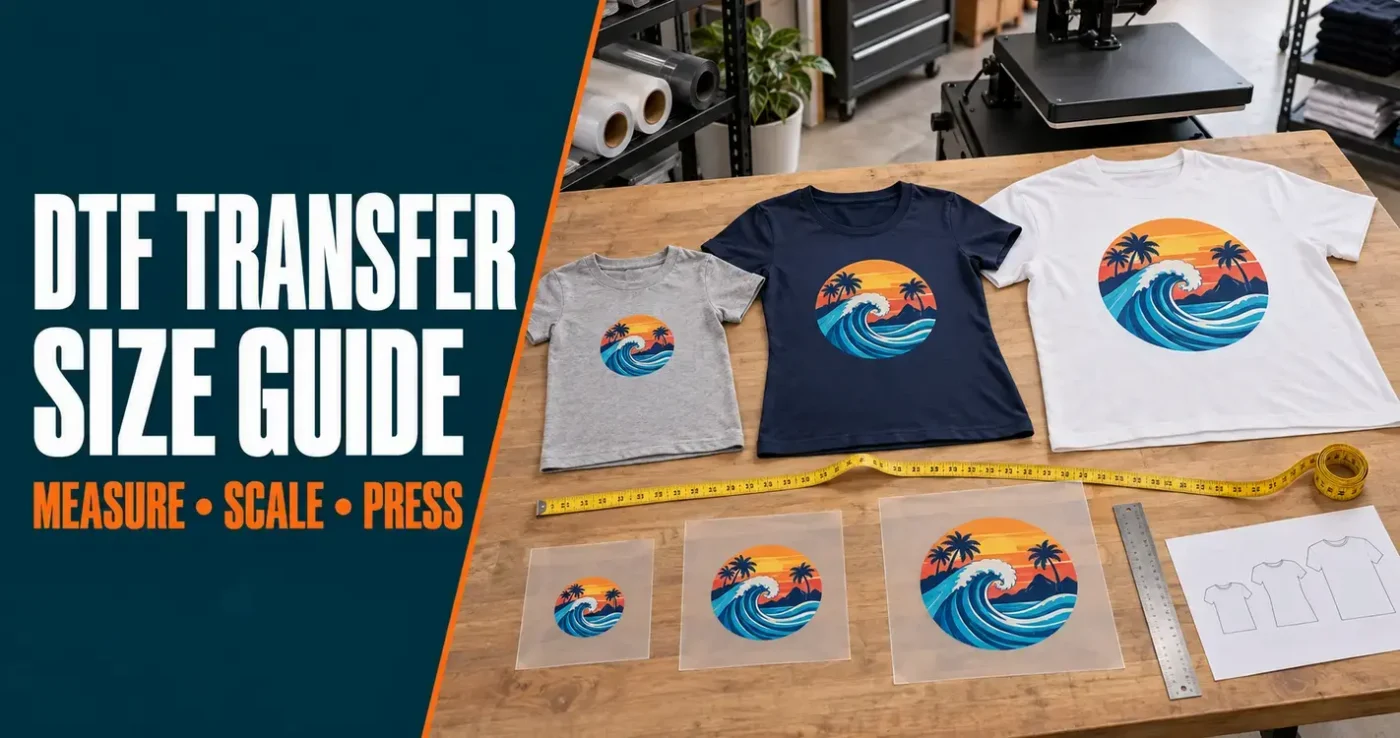
The right DTF transfer size is the one that looks balanced on the garment, fits the available print area and preserves the quality of the artwork. That usually means using more than one transfer size across a mixed run of children’s, fitted and adult garments—not blindly applying the same print to every shirt.
This guide gives you practical starting sizes for full-front prints, back prints and chest logos. It also explains how to measure the garment, calculate the printable size of a raster image and prepare multiple versions efficiently.
At a glance
- Measure the actual garment flat; do not rely on the size printed on its label.
- For a standard adult full-front print, approximately 28–32 cm wide is a useful starting range.
- Children’s full-front designs commonly begin around 18–26 cm wide, depending on the garment.
- Most left-chest logos fall between 7 and 10 cm wide.
- Scale artwork proportionally—never stretch it in only one direction.
- Prepare raster artwork at 300 DPI at its final printed size wherever possible.
- Use a paper mock-up at actual size before ordering a full production run.
- When one size does not suit the complete order, create grouped sizes such as youth, adult and plus-size.
What size should a DTF transfer be?
There is no single correct DTF transfer size for every garment. Two shirts carrying the same size label can have different chest widths, necklines and lengths. The artwork itself also matters: a compact circular logo occupies space differently from a tall rectangular illustration, even when both have the same width.
A good transfer size should:
- look deliberate rather than lost or overcrowded;
- fit between seams, collars, zips and pockets;
- stay within the usable area of your heat-press platen;
- retain enough resolution and detail at the final size; and
- remain consistent with the design’s intended style.
Proportion is a useful starting point, but it is not a rule. A full-front graphic often occupies roughly 60–70% of the garment’s flat chest width. However, a small fashion print may be intentionally restrained, while an oversized streetwear graphic may fill considerably more of the available space.
Best practical test: print the artwork on paper at its intended size, trim around it and position it on the actual garment. View it from a few steps away before approving the transfer size.
Quick DTF transfer size chart
These measurements are practical starting points, not fixed production rules. Always compare them with the garment and artwork in front of you.
Full-front or full-back transfer widths
| Garment group | Starting transfer width | Practical note |
|---|---|---|
| Toddler and very small children’s garments | 15–18 cm | Check both width and design height carefully. |
| Children’s sizes 4–6 | 18–22 cm | Tall artwork may need to be reworked, not simply reduced. |
| Children’s sizes 8–10 | 22–24 cm | Measure each brand because youth cuts vary considerably. |
| Youth sizes 12–14 | 24–26 cm | May overlap with small adult sizing. |
| Fitted adult styles | 23–29 cm | Allow for tapering side seams and shorter body lengths. |
| Adult/unisex small to medium | 25–29 cm | Suitable for many standard front designs. |
| Adult/unisex large to XL | 28–32 cm | A common range for balanced full-front printing. |
| Adult/unisex 2XL and above | 31–35 cm | Confirm the width also fits your heat press and transfer sheet. |
Left-chest logo widths
| Garment type | Starting logo width |
|---|---|
| Children’s garments | 6–7 cm |
| Small fitted garments | 7–8 cm |
| Adult small to large | 8–9 cm |
| Adult XL and above | 9–11 cm |
A wide horizontal logo may need to sit at the smaller end of the range. A compact shield or circular mark can often be slightly larger without overpowering the chest.
How to measure a garment for a DTF transfer
- Lay the garment flat. Smooth it naturally without stretching the fabric.
- Measure the chest width. Measure from armpit to armpit, then identify the clear printable space inside the seams.
- Measure the usable height. Allow for the collar, hem, pocket, zip, buttons or any change in fabric thickness.
- Check the heat press. The complete design must receive even heat and pressure. A design hanging beyond the platen will not press consistently.
- Test the design at actual size. Use a paper print or a rectangle cut to the proposed dimensions.
Measure the smallest garment in each proposed size group. If a 30 cm design looks excellent on a large shirt but crowds the seams on a small, the small garment needs a reduced version.
Do not check width alone
Design height is a frequent source of mistakes. A narrow but very tall graphic can run into a waistband, hoodie pocket or hem. When scaling proportionally, always check the resulting height before ordering.
When the design becomes too tall for a smaller shirt, consider changing its layout. Re-stacking text, tightening gaps or moving a secondary element can preserve legibility better than shrinking everything until the smallest details disappear.
How to scale DTF artwork without losing quality
Scaling changes the physical size of the print. It does not automatically improve the quality of the file.
Vector artwork
True vector artwork can be enlarged or reduced without becoming pixelated. Before exporting it for DTF printing, confirm that fonts are converted to outlines and that strokes, gaps and small isolated elements will remain printable at the final size.
Raster artwork
PNG artwork is made from pixels. Enlarging a small PNG spreads those existing pixels over a larger area; it does not create the missing detail. For the best result, prepare the artwork at 300 DPI at the final print size.
You can estimate the available print width with this calculation:
Print width in centimetres = pixel width ÷ 300 × 2.54
| Artwork width | Approximate width at 300 DPI |
|---|---|
| 2400 pixels | 20.3 cm |
| 3000 pixels | 25.4 cm |
| 3300 pixels | 27.9 cm |
| 3600 pixels | 30.5 cm |
| 4200 pixels | 35.6 cm |
For example, a 3000-pixel-wide PNG can print at approximately 25.4 cm wide at 300 DPI. Enlarging it to 35 cm may still be usable for some artwork, but fine edges and textures will have less effective resolution. Inspect the file at its final dimensions rather than trusting the DPI number stored in the file.
If the original artwork is too small, our guide to AI upscaling for DTF printing explains where enhancement can help and what still needs human inspection. Upscaling is not a substitute for a clean original, especially for small text, logos and precise linework.
Preserve the aspect ratio
When changing size, lock the width-to-height ratio. Stretching only the width or only the height distorts circles, faces, lettering and logos. If the design does not fit the available space, change the layout or choose another size—do not squash it to make it fit.
Check the smallest details after scaling down
Reducing a design can make thin lines, distress textures and isolated dots too small to print or adhere reliably. Keep all elements at least four pixels wide in the final exported file and, where possible, aim for approximately 1 mm of printable substance for dependable production.
Our DTF artwork requirements and FAQs cover transparent backgrounds, resolution, file size and other print-ready requirements.
Should every garment use the same transfer size?
Sometimes. A consistent transfer size can be the right choice for uniforms, event apparel and brand merchandise—particularly when the design is modest and fits the smallest garment comfortably.
For a broad run covering children’s sizes through adult plus sizes, one transfer size rarely looks equally balanced on every garment. You do not normally need a unique transfer for every shirt size. Grouped sizing is more efficient:
- Youth version: for children’s and youth garments;
- Standard adult version: for most small to XL garments; and
- Large adult version: for 2XL and above, when the artwork and press allow it.
Two well-planned sizes will often cover a normal adult range. Add a third when the order includes children’s garments, very fitted cuts or substantially oversized apparel.
Sizing and placement by garment type
Children’s T-shirts
Children’s shirts have limited height as well as width. Scale the complete design proportionally, then check that lettering and small details remain robust. A separate youth layout can work better than a miniature copy of a complicated adult graphic.
Fitted and women’s cuts
Fitted shirts may taper towards the waist and have shorter bodies or deeper necklines. Keep important artwork clear of curved side seams. Check the actual neckline before using a placement measurement copied from a unisex shirt.
Adult and unisex T-shirts
For a conventional full-front treatment, 28–32 cm wide is a practical starting range across many medium to XL garments. Move smaller or larger after checking the specific blank and the character of the design.
Workwear and plus sizes
Larger garments can support wider artwork, but your transfer sheet and heat press impose physical limits. A 33–35 cm design can look balanced on larger workwear provided it fits completely on the platen and avoids seams or pockets.
Hoodies and sweatshirts
For pullover hoodies, measure the space between the neckline and the top of the pouch pocket. Do not allow part of the transfer to sit across the pocket seam or another change in thickness. Zipped hoodies normally require two separate front elements or an alternative placement; do not press one transfer across the zip.
Left-chest logos
A chest logo should relate to the wearer’s chest, not simply the geometric centre of half the shirt. As a starting point, place it approximately 7–9 cm below the collar seam on an adult tee, then adjust for the garment, logo shape and wearer. Use a placement guide or template when producing a uniform run.
Back prints
Back designs often use similar widths to full-front prints, but their vertical position is different. Centre the design across the back and check how it relates to the collar. On hoodies, consider where the hood rests when worn so it does not hide essential wording.
Planning multiple transfer sizes on a gang sheet
A custom DTF gang sheet makes it practical to order several sizes of the same design together. DTF Transfers Australia offers 28 cm and 58 cm sheet widths, so choose the format that accommodates your final artwork dimensions efficiently.
Before uploading:
- Export every version at its exact required size.
- Name files clearly—for example, logo-youth-22cm.png, logo-adult-29cm.png and logo-plus-34cm.png.
- Confirm the quantity required for each size group.
- Keep artwork backgrounds fully transparent.
- Allow practical cutting room between separate transfers.
- After cutting, sort the sizes into labelled containers or bags so they cannot be mixed at the press.
Do not assume the ordering tool will correct the size for you. Artwork is printed as supplied, so verify the displayed dimensions before completing the order.
Common DTF scaling mistakes
| Mistake | Why it causes problems | Better approach |
|---|---|---|
| Using one large size across the entire run | The design can crowd children’s and small garments. | Create two or three grouped sizes. |
| Scaling by the garment label alone | Brands and fits use different measurements for the same labelled size. | Measure the actual garment flat. |
| Enlarging a small PNG | The file becomes soft or pixelated because no genuine detail is added. | Return to the original, use vector artwork or upscale cautiously. |
| Stretching width or height independently | Logos, people, circles and text become visibly distorted. | Lock the aspect ratio while resizing. |
| Checking width but ignoring height | The design may hit a pocket, waistband or hem. | Measure the complete usable print area. |
| Shrinking intricate artwork too far | Fine lines and isolated details may disappear or fail to adhere. | Simplify the small version or strengthen fine elements. |
| Ignoring the heat-press platen | Part of the design may receive uneven temperature or pressure. | Keep the entire transfer within the usable pressing area. |
| Mixing cut transfer sizes | The wrong version can be pressed onto a garment. | Label and sort sizes immediately after cutting. |
Pre-order DTF transfer sizing checklist
- Have you measured the smallest garment in each size group?
- Does the design clear the collar, seams, zip, buttons and pockets?
- Will the complete transfer fit on your heat-press platen?
- Is the artwork proportional, with no stretching or squashing?
- Is the PNG 300 DPI at the intended final size?
- Are thin lines and small isolated details substantial enough to print?
- Is the background genuinely transparent?
- Have you tested the proposed size with an actual-size paper mock-up?
- Are multiple size versions clearly named and counted?
- Have you confirmed the dimensions shown in the ordering tool?
If you need help creating the final files, our guide to preparing print-ready DTF artwork in Photopea walks through a free browser-based option.
Frequently asked questions
What is the most common DTF transfer size for an adult T-shirt?
Approximately 28–32 cm wide is a useful starting range for many adult full-front designs. The best size still depends on the shirt measurements, artwork proportions and intended look.
Should I use the same transfer size on every adult shirt?
You can use one standard size if it looks balanced on both the smallest and largest garments. For a broad range, two grouped sizes—such as small to large and XL upwards—usually create a more consistent visual result.
How large can I print a 3000-pixel-wide image?
At 300 DPI, 3000 pixels equals approximately 25.4 cm. It can technically be printed larger, but its effective resolution will fall. Inspect the artwork at the final size before ordering.
Can I enlarge a low-resolution logo for DTF printing?
Simply enlarging it will not restore missing detail. The best option is the original vector or high-resolution artwork. Careful AI upscaling may help some raster images, but logos and text usually need manual inspection or recreation.
What size should a left-chest DTF logo be?
Most adult left-chest logos are approximately 8–9 cm wide. Smaller fitted or children’s garments may suit 6–8 cm, while larger garments or compact logo shapes may use 9–11 cm.
How do I size a transfer for a hoodie?
Measure the flat area between the neckline and pouch pocket, then keep the design clear of seams and changes in thickness. Also check the usable heat-press platen area. A hoodie’s labelled size alone is not enough to determine the transfer size.
Will DTF Transfers Australia resize my artwork?
Artwork is printed as supplied. Prepare and confirm every design at its required final dimensions before ordering. If you are uncertain about the file or selected sheet, contact us before submitting the order.
The bottom line
Scaling DTF transfers is a combination of measurement, artwork quality and visual judgement. Start with the actual garment, check the entire usable print area and test the proposed dimensions with a paper mock-up. Use grouped sizes when a single transfer cannot look balanced across the full run.
Most importantly, prepare every file at its final printed dimensions. A correctly sized, high-resolution design makes gang-sheet planning easier, prevents production surprises and gives the finished garment a much more professional result.
About this guide: David Seth has worked with screen printing and garment decoration since the 1990s and founded DTF Transfers Australia in 2020. The recommendations above reflect practical experience preparing, printing and applying transfers for garments ranging from children’s apparel to workwear and custom merchandise.
