
Printing It Yourself
DTF Ink Quality: Why the Complete Print System Matters
Sep
Short answer: Not all DTF inks perform the same, but the name on the ink container does not determine the finished result by itself. Colour strength, white opacity, flexibility, batch consistency and printer compatibility all matter. So do the RIP software, colour profile, printhead condition, film, adhesive, curing, heat-press application and garment. The most useful comparison is therefore a correctly produced and wash-tested transfer—not an isolated claim that one ink is “premium”.
For customers ordering ready-to-press transfers, there is no need to buy, mix or maintain ink. DTF Transfers Australia supplies the printed, adhesive-coated and cured transfer. Understanding the ink system is still useful, however, because it explains why two transfers made from the same artwork can differ in colour, white coverage, fine detail and consistency.
For people considering their own printer, this guide also explains why an ink should be selected as part of a tested production system rather than chosen only by price or a sample colour chart.
What DTF ink does
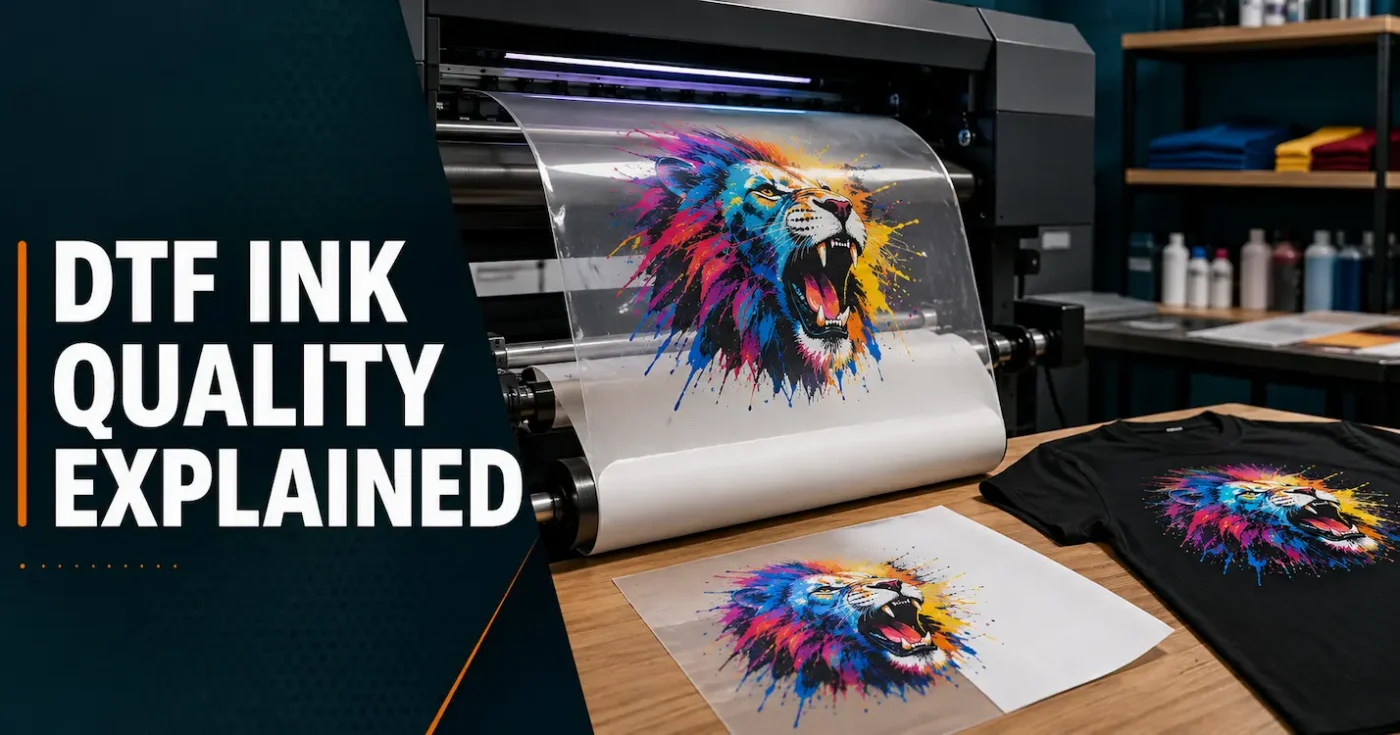
DTF printing commonly uses cyan, magenta, yellow and black—CMYK—to reproduce the coloured artwork. The printer lays those colours onto a coated transfer film, followed by white ink behind the design. When applied to a garment, the artwork is viewed in the correct orientation and the white layer sits beneath the colour.
| Ink component | Main job | What can go wrong |
|---|---|---|
| CMYK ink | Builds the visible colours, gradients, photographs and fine details | Weak density, inaccurate colour, graininess, banding or inconsistent output |
| White ink | Creates opacity and supports colour on dark or coloured garments | Patchy coverage, poor opacity, visible gaps or excessive ink build |
| Combined ink layers | Form the printed image that works with the film and adhesive | Poor interaction between layers, loss of detail or an unsuitable cure |
The ink does not soak into the shirt during printing. It is printed onto film and becomes part of a layered transfer. Adhesive bonds that printed layer to the garment during heat pressing. Our broader DTF transfer guide explains the complete process from artwork to application.
Why DTF inks perform differently
DTF ink formulations can vary in pigment strength, viscosity, surface behaviour, flexibility, drying characteristics and stability. Those differences influence how the ink jets through a particular printhead, sits on a particular film, accepts its white backing and responds to curing.
Important qualities include:
- Consistent jetting: the ink must pass through the intended printhead without unstable droplets, excessive nozzle loss or persistent banding.
- Colour strength: CMYK inks need enough density to reproduce useful colour without simply flooding the film with more liquid.
- White opacity: the white layer must support the coloured image on dark garments without avoidable gaps or mottling.
- Layer compatibility: CMYK, white, film coating and adhesive must behave as a tested combination.
- Flexibility: after curing and pressing, the printed layer must tolerate normal garment movement without being made unnecessarily brittle.
- Batch consistency: repeat orders are easier to manage when the materials and production controls remain stable.
A low price does not automatically prove poor quality, and an expensive ink does not automatically produce a better transfer. Labels such as “premium”, “vibrant” and “industrial” are not test results. Compatibility, controlled production and the performance of the finished print matter more.
Which inks does DTF Transfers Australia currently use?
As at September 2026, we use different genuine or system-matched inks across our production equipment rather than forcing every product through one ink workflow:
- DTF gang sheets: Coltex inks.
- Cut-sheet DTF transfers: the newly updated generation of Brother Innobella inks.
- Iron-on DTF transfers: the newly updated generation of Brother Innobella inks.
- UV DTF stickers: genuine Morpho inks.
UV DTF stickers are produced through a different printing system from apparel DTF transfers. Genuine Morpho UV inks should therefore not be confused with the textile inks used for gang sheets, cut sheets or iron-on transfers.
We use the ink system matched to the relevant production equipment and product. This supports repeatability, maintenance and colour control, but the ink name is still only one part of the result. Each transfer must also be produced with suitable print settings, media, adhesive or coating, curing and quality control.
Why white ink needs special attention
White is one of the most demanding parts of a DTF ink system. It carries a heavy pigment load so it can form an opaque backing behind the colour. That opacity is essential on black, navy, red and other coloured garments, but the ink also needs to remain stable enough for reliable printing.
Purpose-built DTF printers commonly include white-ink circulation or agitation, automatic cleaning and nozzle-monitoring functions. These features do not remove the need for maintenance; they are evidence that white ink behaviour must be actively managed.
Poor white output may appear as:
- uneven or mottled backing;
- coloured fabric influencing the design more than expected;
- banding through pale or solid areas;
- white showing beyond the coloured edge because the layers do not align correctly; or
- too much ink creating an unnecessarily heavy print or making curing harder to control.
More white is not always better. The correct amount depends on the artwork, garment colour, ink, film, printer resolution, curing process and desired feel. A good production workflow balances opacity with detail and flexibility.
Ink is part of a complete DTF system
It is tempting to attribute every good or bad result to the ink. In practice, DTF is a chain of connected variables:
- Artwork: resolution, transparency, colour values and fine-detail size affect what the printer receives.
- RIP software and profile: these control colour conversion, ink limits, resolution and the white layer.
- Printer condition: nozzle health, alignment, environment and maintenance affect the deposited image.
- Ink and film: the liquid must jet correctly and sit cleanly on the film’s receiving coating.
- Adhesive: it must work with the printed ink layer and the intended garment.
- Curing: insufficient or excessive curing can change adhesion, stretch, feel and application behaviour.
- Heat pressing: the correct temperature, time and pressure complete the bond to the garment.
- Garment and care: fabric chemistry, dye stability, washing and drying affect the finished product.
This is why changing one material can require new profiling and production testing. An ink that performs well in one printer-and-film combination may be unsuitable in another. Our guides to DTF transfer curing and DTF adhesive explore two other important parts of that system.
Ink quality and colour accuracy
Strong pigment does not guarantee that the printed colour will match the artwork. Colour accuracy depends on the relationship between the file, RIP settings, printer, ink, film, white layer and viewing conditions.
An ICC or printer profile helps the workflow translate digital colour values into amounts of CMYK ink that the specific system can reproduce. It also helps control total ink coverage. If the ink, film, print mode or other major variable changes, an old profile may no longer describe the system accurately.
Other reasons a print may differ from the screen include:
- an uncalibrated or overly bright monitor;
- colours outside the printer’s achievable gamut;
- transparent or very faint pixels in the artwork;
- the white backing and garment changing the way colour is perceived;
- different lighting when the shirt is inspected; and
- the same design being compared on different fabrics or garment colours.
DTF Transfers Australia prints supplied files as received. Customers should check artwork, transparency, spelling, colour choices and final dimensions before ordering. See the complete DTF artwork requirements for file preparation guidance.
DTF, DTG and sublimation inks are not interchangeable by default
| Ink/workflow | Designed purpose | Practical rule |
|---|---|---|
| Purpose-made DTF ink | Printing CMYK and white onto coated transfer film for a DTF production process | Use only where it is approved and tested with the printer and production system |
| DTG garment ink | Printing directly onto prepared garments | Some manufacturer-supported equipment can use an approved DTF workflow, but do not assume every DTG ink or printer is suitable |
| Dye-sublimation ink | Transferring dye into suitable polyester or polymer-coated products | Use it for its designed sublimation process, not as a generic substitute in a standard DTF system |
| Desktop inkjet ink | Printing documents or photographs onto compatible paper and media | It is not a substitute for an approved DTF ink set |
The useful question is not simply, “Can liquid come through this printhead?” It is whether the printer manufacturer or a properly tested system supports the ink, white channel, film, RIP settings, maintenance routine, curing method and intended garment application.
Anyone comparing equipment should read our guide to buying a DTF printer before budgeting for the complete workflow.
How to compare finished DTF transfers
Transfer customers usually cannot inspect ink chemistry, nor should they need to. A controlled sample test gives more useful information. Use the same artwork, garment, heat press and application method when comparing suppliers so that the ink and production differences are not buried beneath unrelated variables.
A practical test file can include:
- a solid white area for opacity and evenness;
- strong red, green, blue and neutral grey areas for colour balance;
- smooth gradients for banding and tonal transitions;
- small positive and reversed text;
- fine lines and isolated details that are still within the supplier’s artwork limits;
- a photograph or illustrated face for natural tonal judgement; and
- a larger printed area for assessing feel and flexibility.
Inspect the transfer after application, then wash and wear it according to the garment instructions. Record the shirt, transfer batch, press, temperature, time, pressure and wash conditions. Without those notes, a later comparison can easily become guesswork.
Look for edge lifting, cracking, unexpected colour change, loss of fine detail and uneven white coverage. Also check the garment itself: polyester dye migration, fabric shrinkage or a poor-quality shirt can be mistaken for an ink failure.
Choosing ink for your own DTF printer
If you produce your own transfers, begin with the printer manufacturer’s approved ink and workflow. A cheaper third-party ink may appear attractive, but changing chemistry can affect profiles, printhead behaviour, cleaning routines, film compatibility, warranty coverage and repeatability.
Ask potential equipment and ink suppliers for specific information:
- Is the ink approved for the exact printer and printhead?
- Which film, adhesive, print mode and curing conditions were used for testing?
- Are current colour profiles available for that combination?
- What daily and weekly maintenance does the white ink require?
- What temperature and humidity range is recommended?
- How should sealed and opened ink be stored, and what is its shelf life?
- What flushing or conversion procedure is required before changing ink systems?
- Are safety data sheets and relevant textile certifications available?
- Who provides technical support if colour or jetting changes between batches?
Never mix ink systems merely because the colours have the same names. Follow the printer and ink supplier’s documented conversion process. An incomplete flush can create compatibility problems inside the ink path and leave the operator uncertain about which material caused the fault.
What better ink cannot fix
Even an excellent ink cannot compensate for every problem. It cannot restore pixels missing from low-resolution artwork, remove an accidental background, correct spelling, level an uneven heat press or stop every unstable polyester dye from migrating.
| Visible problem | Possible cause beyond the ink |
|---|---|
| Blurry or jagged design | Low-resolution artwork or enlargement beyond the supplied size |
| Edges lift after pressing | Moisture, insufficient pressure, incorrect fitting settings or uneven platen contact |
| Pale areas change colour on polyester | Dye migration from the garment |
| Transfer feels heavy | Large solid artwork, excessive layer build or the interaction of several production settings |
| Poor wash result | Under- or over-curing, incorrect pressing, unsuitable garment treatment or harsh laundering |
| Colour differs from the screen | Monitor, profile, colour gamut, white backing, garment colour or viewing light |
Diagnose the whole workflow and change one variable at a time. Replacing the ink without evidence may introduce a second problem while leaving the original cause untouched.
Frequently asked questions about DTF ink quality
Is all DTF ink the same?
No. Formulations vary in colour strength, opacity, jetting behaviour, stability and compatibility. The finished result also depends on the printer, software, film, adhesive, curing and application process.
Does expensive DTF ink always produce the best transfer?
No. Price alone is not a performance test. An ink needs to be compatible with the equipment and the rest of the workflow, correctly profiled, maintained and tested on finished garments.
Why is white ink used in DTF printing?
White ink forms an opaque backing behind the CMYK artwork. It helps colours and white design elements remain visible when the transfer is applied to dark or coloured fabric.
Can I use sublimation ink to make normal DTF transfers?
Do not treat sublimation ink as a generic DTF substitute. Sublimation is designed to dye suitable polyester or polymer-coated products. Use the ink and workflow approved for the intended printing process.
Can DTG ink be used for DTF?
Some manufacturer-supported printer systems offer a DTF workflow using approved inks and settings. That does not mean every DTG ink, printer or film combination will work. Confirm support for the exact equipment and process.
Do ready-to-press transfer customers need to choose an ink?
No. The transfer manufacturer controls the production ink system. Customers should concentrate on clean print-ready artwork, ordering the correct product, following the fitting instructions and testing the transfer on the intended garment.
How can I tell whether a DTF supplier uses quality ink?
Ask for a sample and judge the completed result under controlled conditions. Check colour, white opacity, detail, consistency, feel and performance after correct pressing and washing. A brand claim without a finished-transfer test provides limited evidence.
Does better ink guarantee no cracking or fading?
No single component can guarantee that. Ink quality contributes, but artwork coverage, curing, adhesive, fitting, garment stretch, laundering and normal wear also affect appearance over time.
Judge the transfer, not one ingredient
DTF ink quality is important, especially for colour strength, white opacity, fine detail and consistent production. The more accurate conclusion, however, is that not all DTF systems produce the same result. Ink must work with the printer, profile, film, adhesive, curing process, heat press and garment.
If you want to assess a transfer supplier, begin with a controlled sample rather than a marketing label. When you are ready to order, you can build a custom DTF gang sheet or browse the DTF Transfers Australia shop for available transfer options.
